Boundaries that keep screens simple
The client is organised by feature. API calls live in Axios modules, server data is handled by TanStack Query, local app state lives in small Zustand stores, and screens compose those pieces rather than fetching and storing data themselves.
The consequence is that a change to how something is fetched or cached happens in one place, and a new screen mostly reuses what already exists. With more than 30 screens, that is what kept the app consistent.
What works offline, and what deliberately doesn’t
Successful reads are saved to MMKV-backed storage, so information someone has already loaded is still there when the connection drops. Writes are different: saving a change needs a connection.
I chose that split on purpose. Letting people edit offline would mean deciding what happens when two people change the same record, and getting that wrong in school records is worse than asking someone to wait for signal. People can rely on what they’ve already seen, and the app is clear about when information was last refreshed.
Security and access
- Session tokens are kept in the device’s secure storage, not in ordinary app storage.
- Navigation is protected, so signed-out users can’t reach signed-in screens, and expired sessions return people to sign-in.
- Access is tenant-aware and role-based: what someone sees depends on their school, zone, or LGA and their role.
- The offline cache is isolated per user and cleared on sign-out, session expiry, or account changes, so one person’s saved records are never shown to the next person who signs in on the same phone.
Performance on data-heavy screens
Directories of students, teachers, and parents can be long. Lists load page by page and use FlatList virtualisation, so only what’s on screen is rendered. Search is debounced so the app isn’t sending a request on every keystroke, and queries only run when the screen actually needs their data.
Notifications and documents
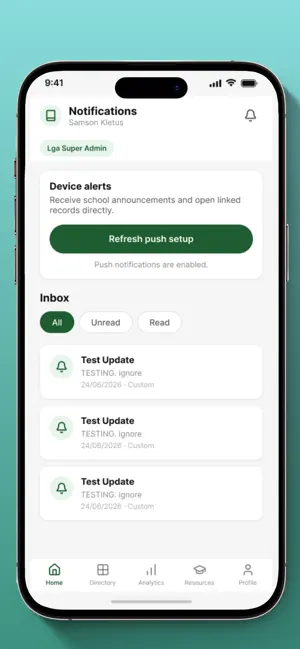
Push notifications keep people up to date with school messages. Documents such as report cards and calendars are produced as PDFs that can be previewed and shared from the phone.
Testing and accessibility
- Jest unit tests cover the rules that are easiest to get wrong, such as role and scope access, cached-query storage, sign-in navigation, and report-card PDF generation.
- Manual QA before releases, with tester documentation so other people can run the same checks.
- Accessibility implemented and validated, including screen-reader support, focus, contrast, and cues that don’t rely on colour alone. Interactive elements carry accessible labels, roles, states, and hints.
Status
Skoolbod Mobile is live on the App Store and Google Play. I supported the releases and continue to monitor user reports and performance, investigate issues, and ship fixes and updates.