The problem
I was running coding agents across several projects at once. The agents could write code, but the coordination fell to me: reviewing what they produced, prompting and re-prompting, steering them back when they drifted, and then updating a task tracker and a CRM so my records matched what had actually happened.
The coordination was taking more attention than the engineering. I wanted one place to hand work to agents, see what they were doing on each project, and decide what happens to their output.
Decisions and alternatives
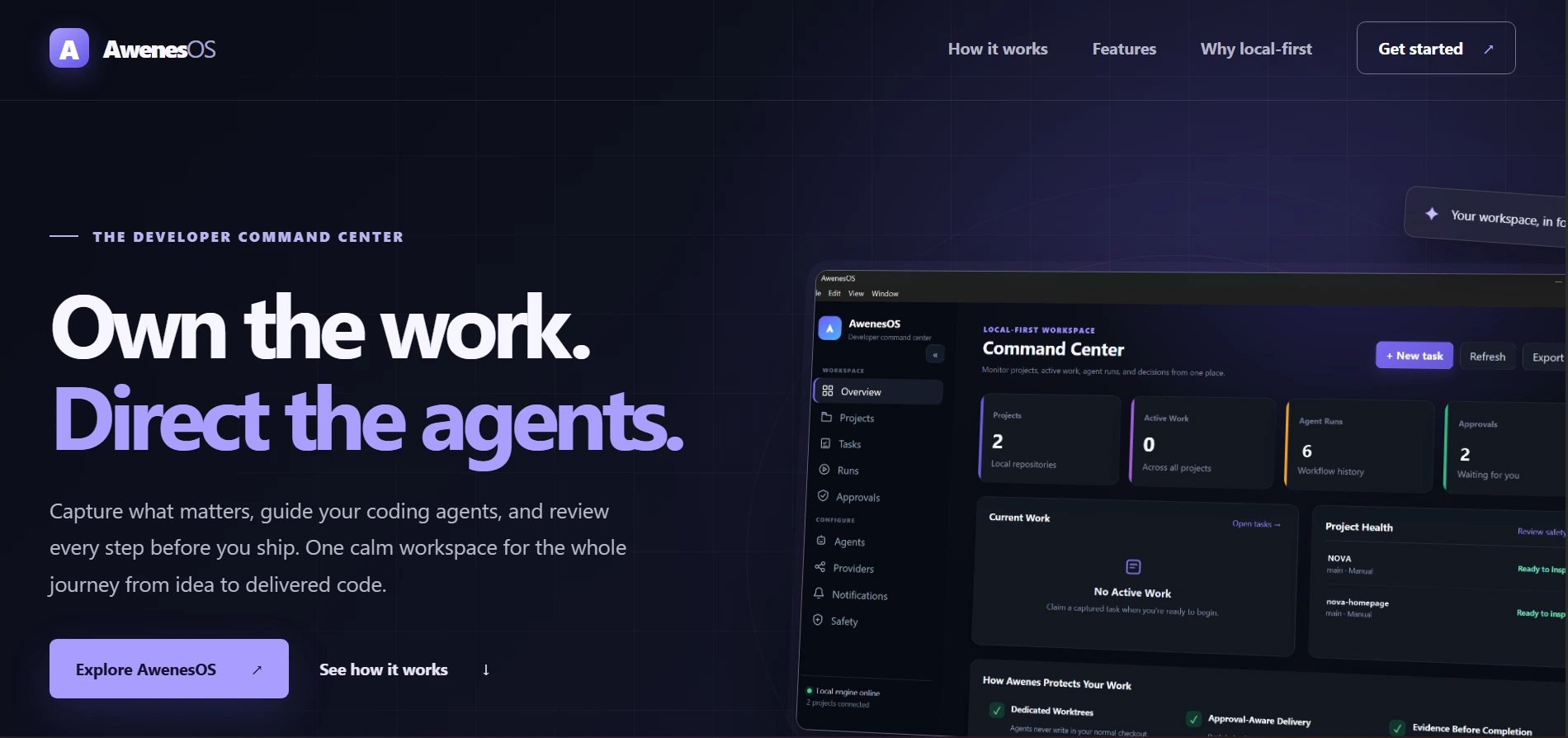
AwenesOS started as a command-line tool. It worked for me, but reviewing plans and diffs in a terminal across several projects was slow, and it would have been hard for anyone else to pick up. I moved it to a desktop interface so the state of every task, and what is waiting on a decision, is visible at a glance.
The first versions also updated my CRM. That coupled the product to how I personally track clients, added integration work that had nothing to do with agents, and made the app less useful to anyone with a different setup. I removed it and focused on flexible agent-task management that fits different ways of working.
How it works
- Tasks belong to projects. Each task can be handled by agent roles, and the developer chooses which provider and model fills each role.
- Every task run happens in its own Git worktree on its own branch, so parallel tasks don’t overwrite each other and one task’s changes can be reviewed or thrown away as a unit.
- The developer approves the plan before work starts, and approves again before commits, pushes, public network access, and marking a task complete. How much needs approval is a setting, from fully manual delivery to pushing automatically.
- Diffs, test output, and browser checks are collected as evidence for each task, so a review starts from what changed and how it was checked.
What stays local and what doesn’t
AwenesOS is local-first, which is not the same as nothing leaving the machine. Product state lives on the developer’s computer, but agents have to send work to a model to do anything useful.
| Data | Where it lives | What it means |
|---|---|---|
| Projects, tasks, run history, approvals, evidence | A local SQLite database on the developer’s machine | Workflow history isn’t stored on a server I run. |
| API keys | Encrypted with the operating system’s secure storage | Keys aren’t kept as plain text. |
| Prompts, task context, and the code an agent works on | Sent to the model provider configured for that role, either directly to the OpenAI or Anthropic API, or through a locally installed coding-agent CLI that talks to its own provider | Anything an agent sees is shared with that provider under the developer’s own account and the provider’s terms. |
Validation
I used Playwright to test the application. Playwright is also part of the product: AwenesOS uses it to run browser checks on the projects agents are working on, so the evidence for a task can include what the change looks like in a browser.
After release I monitor user reports and performance, investigate issues, and ship fixes.
Status
Version 0.1 is publicly available for Windows from the product site. A few people have tested it so far, and their feedback has been positive. That is early feedback from a small group, not broad adoption or proof of demand.
What I learned
- A tool that fits my workflow exactly is hard for anyone else to use. Removing my own habits from it was what made it a product.
- Being precise about data flow matters more than a short privacy slogan. “Local-first” only helps people if it says what still leaves the machine.
- Review is the product, not a step before it. The interface is built around what needs a decision next.